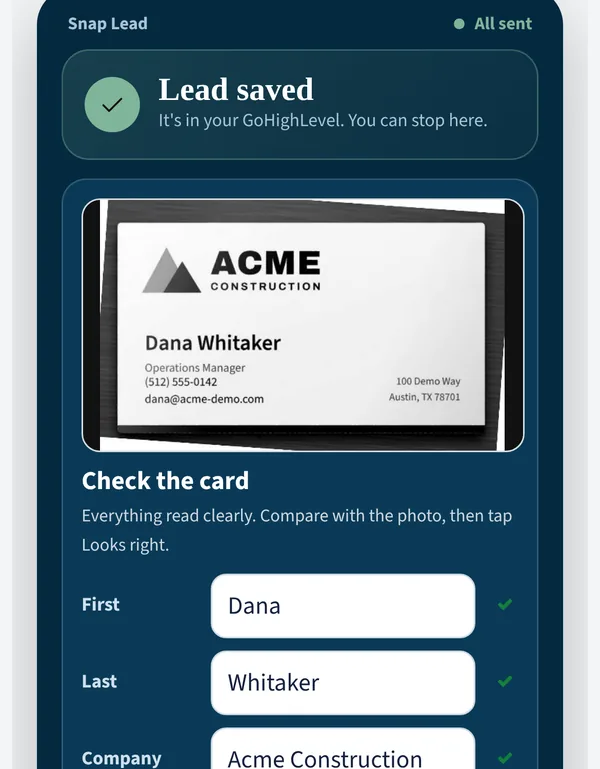
1 · Card or badge
Snap it.
A card or a show badge. The photo itself is the lead, so even a bad read never loses anyone.
The sales app for reps who sell to businesses
A show, a referral, a demo or a drop-in. Snap it or type it in. Bullpen shows who to call next and sets up the order in one tap.
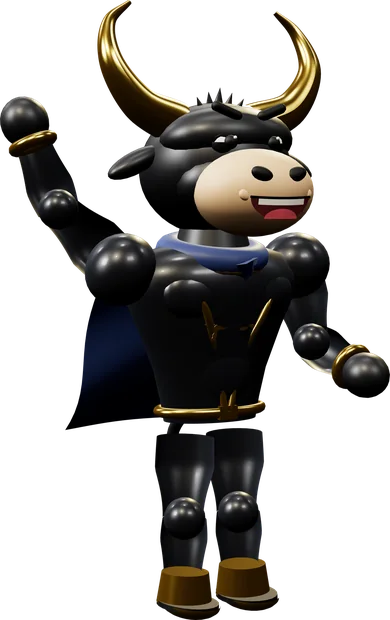
However you meet them, at a show, from a referral, after a demo or on a drop-in: snap the card, take one photo of your lead sheet, or type it in. Bullpen shows you who to call next, writes the follow-up and sets up the order with one tap. Bullwick, the bull in the cape, does the busywork. You tap OK.
Works with your CRM, email and calendar. Keeps working with no signal. Nothing goes out until you tap.
Tap one. However it comes in, it lands in one list.
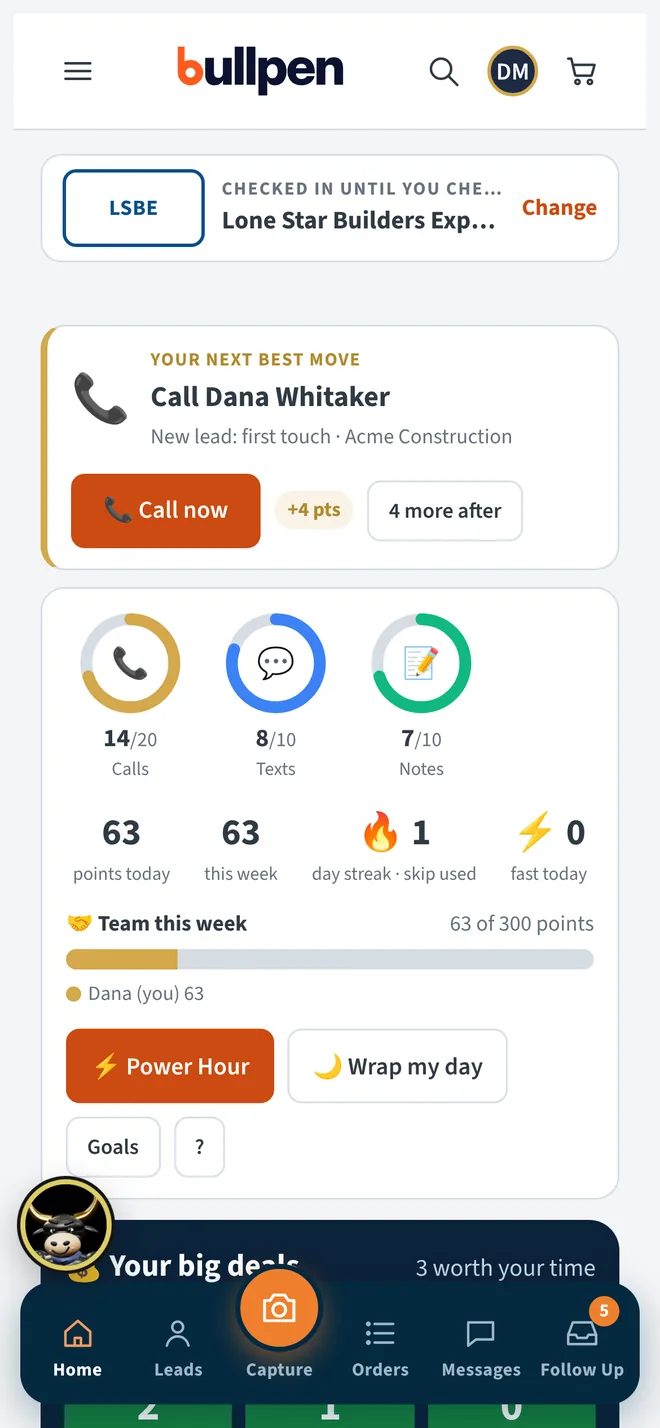
Monday, 8:05 AM · Home
Call Dana Whitaker. Your goal rings, your points and your big deals are right under it. Tap the dock to see the rest.
See Who's next →Watch
Here's one show week, start to finish. Every screen below is the real app, filled with made-up customers. Bullpen was built inside a working sales team that sells at trade shows. Each tool started as a real problem at a real booth.
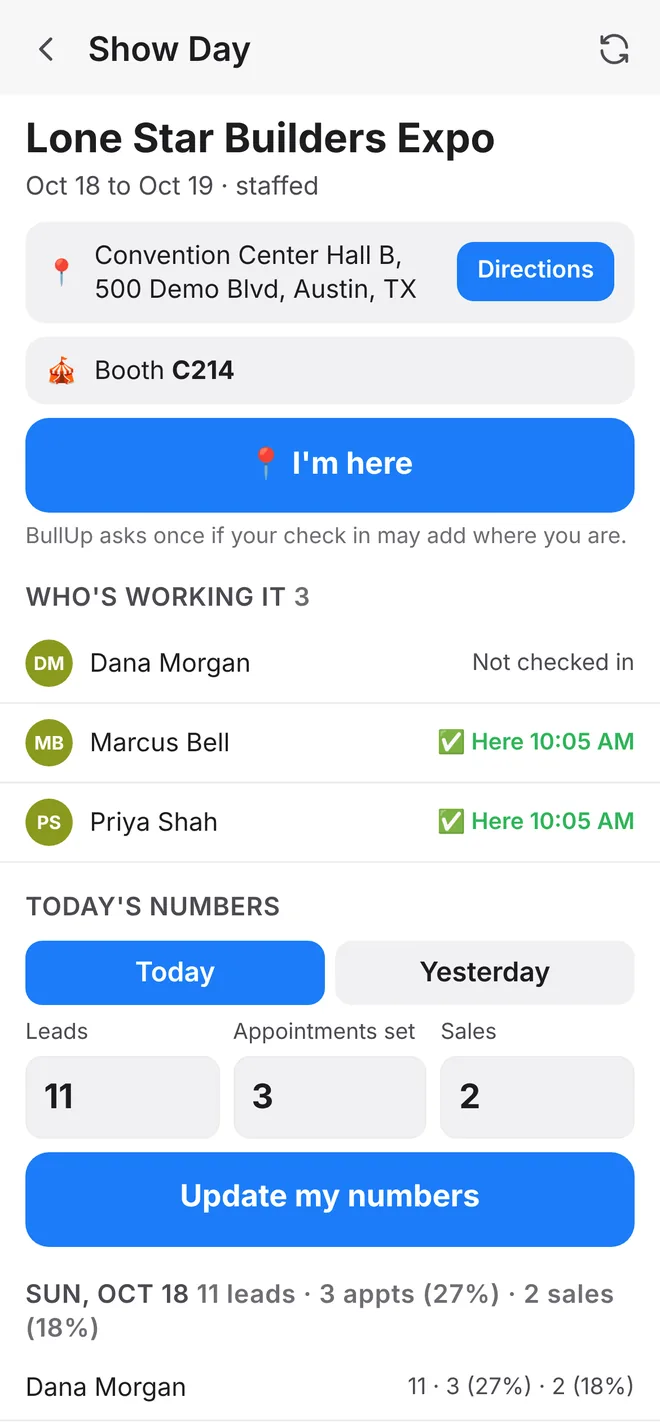
Doors open at 9.
The page has the venue with directions, the booth, who's working, the setup checklist and the show's chat. Reps tap I'm here when they arrive, and the manager sees who's on the floor and when they got there. Location is used only if the rep allows it, and only while the page is open.
Numbers before bed. Around 6 PM on each show day, any rep who hasn't added their leads, appointments and sales gets a reminder. Managers see every rep side by side. Tap once for the recap, add a note, and post it on the show's task for the team.
| Rep | Leads | Appts | Sales |
|---|---|---|---|
| Tess Alvarado | 31 | 9 (29%) | 3 (10%) |
| Luis Ortega | 24 | 5 (21%) | 2 (8%) |
| Nia Brooks | 18 | 6 (33%) | 1 (6%) |
| Total | 73 | 20 (27%) | 6 (8%) |
Reminder at 6:02 PM"Today's numbers: Lone Star Builders Expo. Add yours."
Swipe for the numbers
Dana hands you her card at Booth C214, and her details fill in before she finishes her sentence. The next visitor already filled out your paper lead sheet, so you take one photo. Back at the hotel, a referral calls and you type him in on the spot. All three land on the same list with the same next step.
1 · Card or badge
A card or a show badge. The photo itself is the lead, so even a bad read never loses anyone.
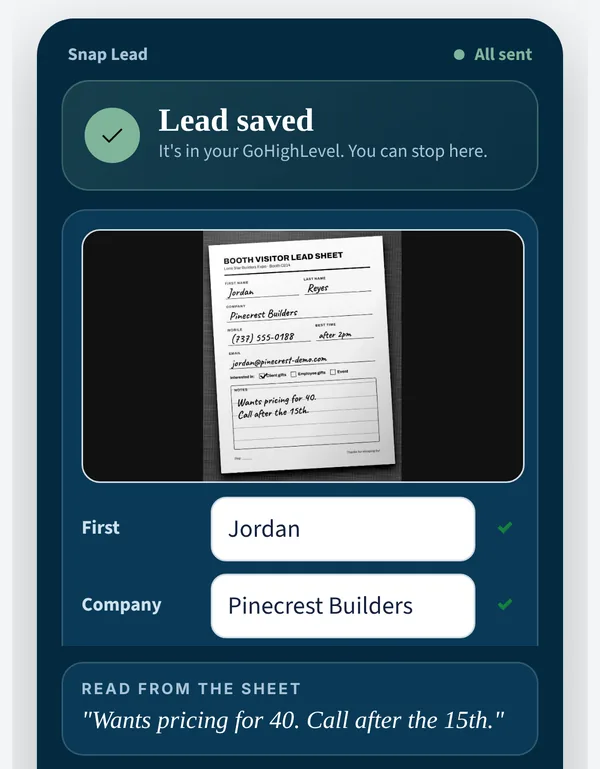
2 · Handwritten lead sheet
One photo per filled-in lead sheet. Their handwriting shows up word for word under "Read from the sheet."
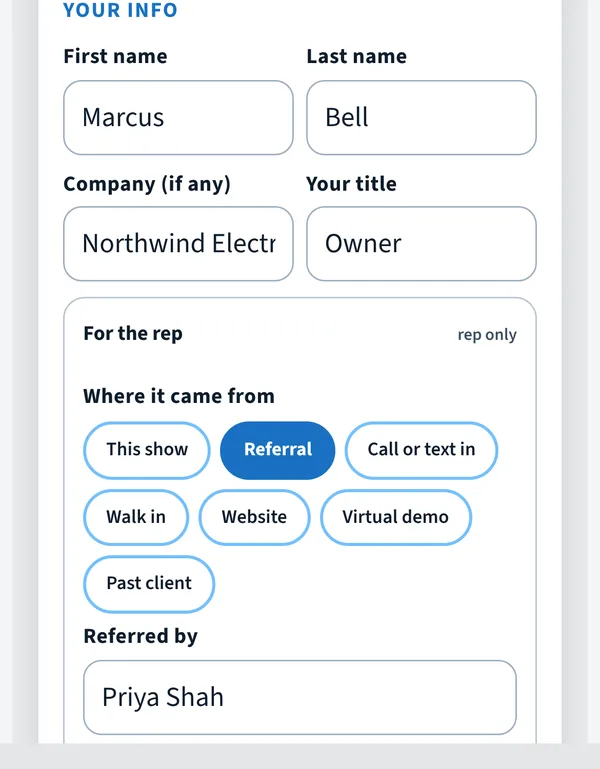
3 · Referral, demo, drop-in or call-in
A few taps, and skip what you don't know. Or hand them your phone and they fill in a short form.
Swipe: card, lead sheet, typed in
Check this A short phone number, or an email that doesn't match the card's website, gets a yellow chip before you follow up with nobody. Typed emails get fixed as you go, so gmial.con becomes gmail.com.
Record the talk. Tap Record and keep talking. You get back what they want, the next step, and a follow-up email and text to check. The audio is never kept.
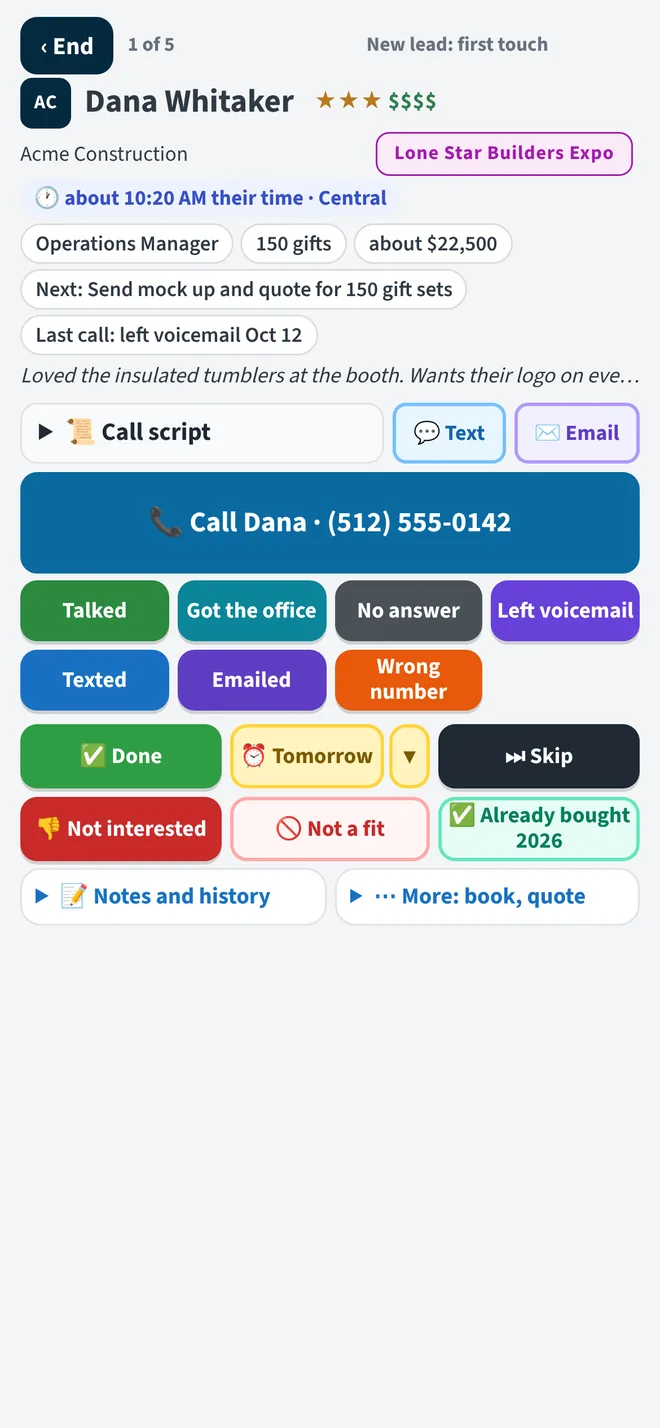
It's Monday after the show. Who's next puts Dana on top: a big deal, due today, and it's 2:10 PM her time. Tap Call, talk, then tap Talked. Marcus slides in next with his notes already open. Try it.

How did it go?
What next?
Up next
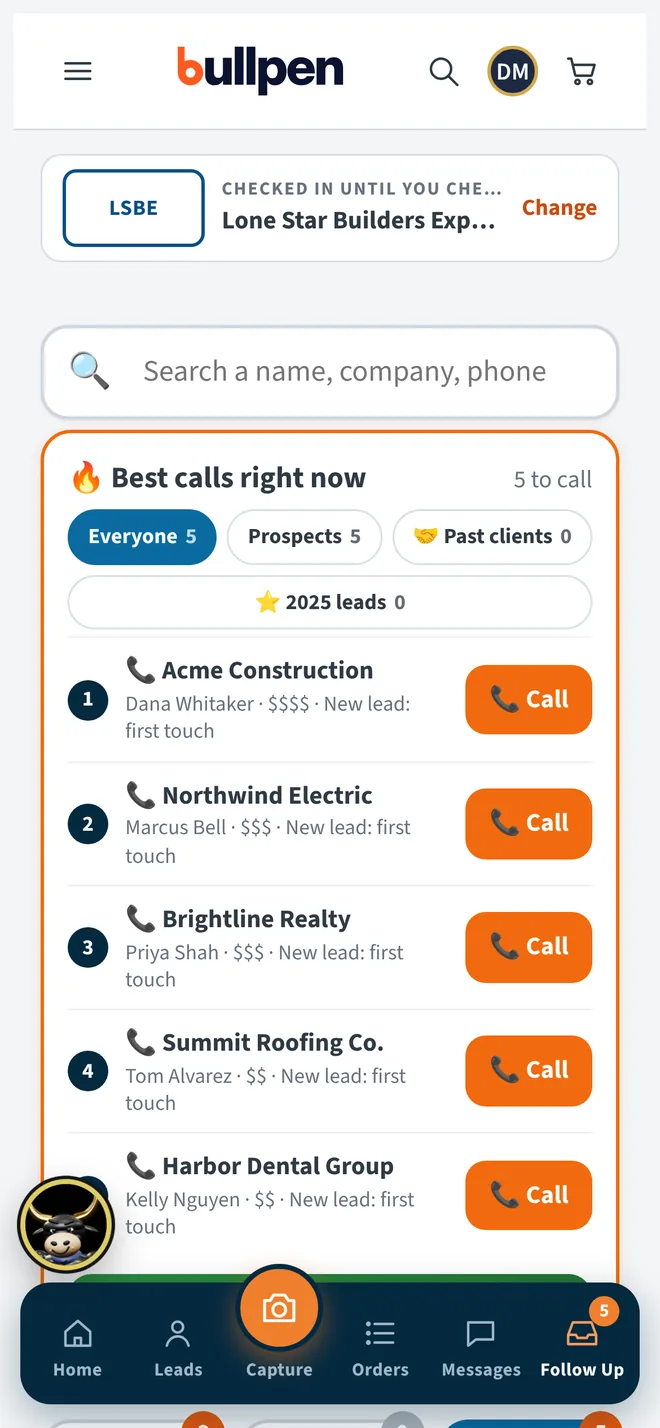
You leave the expo with 66 people. Show wrap lists them, scores them and writes a follow-up for each one the way you'd write it. Read it, tweak it, send it. When Priya writes back "How much for 60?", she jumps to the top as Ready to buy, with a Call now button waiting.
Draft · ready for you
To Dana Whitaker · Acme Construction
"Hi Dana, great meeting you at Booth C214 on Saturday. You mentioned a thank-you for your crew leads when the March project wraps. I'll send two options by Thursday. Tess"
How much for 60? Need them by the 20th.2h ago
Late texts wait until 9 AM.
Past clients come back to the top around the time they ordered last year, with the note already written. Tap Reorder and last year's order fills in for you to change and send.
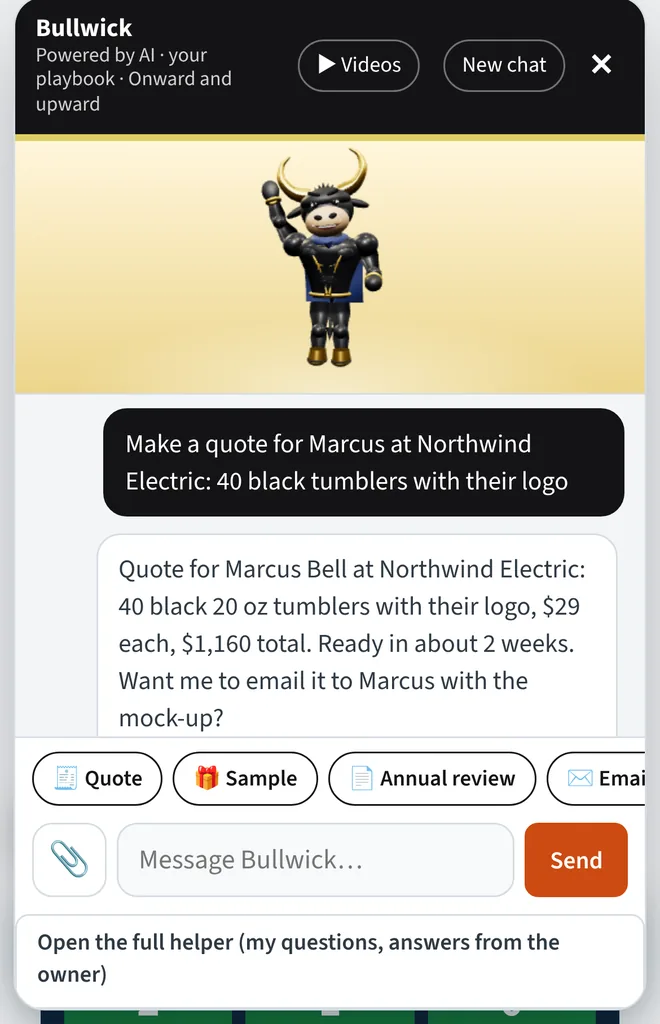
Walking out of a meeting, tell Bullwick "40 black tumblers for Marcus at Northwind Electric." A quote comes back with the right price break and the totals done. Check it and send it. The Tier advisor tells you when a few more would drop the price.
One price gets you "let me think about it." Three choices side by side, with photos, change the question from whether to which one.
Jordan wants to hold one before ordering 40. Pick who ships it. Bullpen drafts the email, makes the task and moves the deal in your CRM. Ten days later it asks you: did it land? That's your cue to call.
Build it on your phone with your logo on top and theirs on the gift. Wrote the order on paper? Take a photo of the page, and the lines come back priced from your list. Then hand them the screen to sign before you stand up.
Find any quote or invoice by name or number, fix it or make a copy, and see who on the team opened it.
First the table checklist goes green: logo, payment, ship date and contact details. Red items stop you, so nothing is missing when they leave. Then tap Finish the order and watch the list tick off.
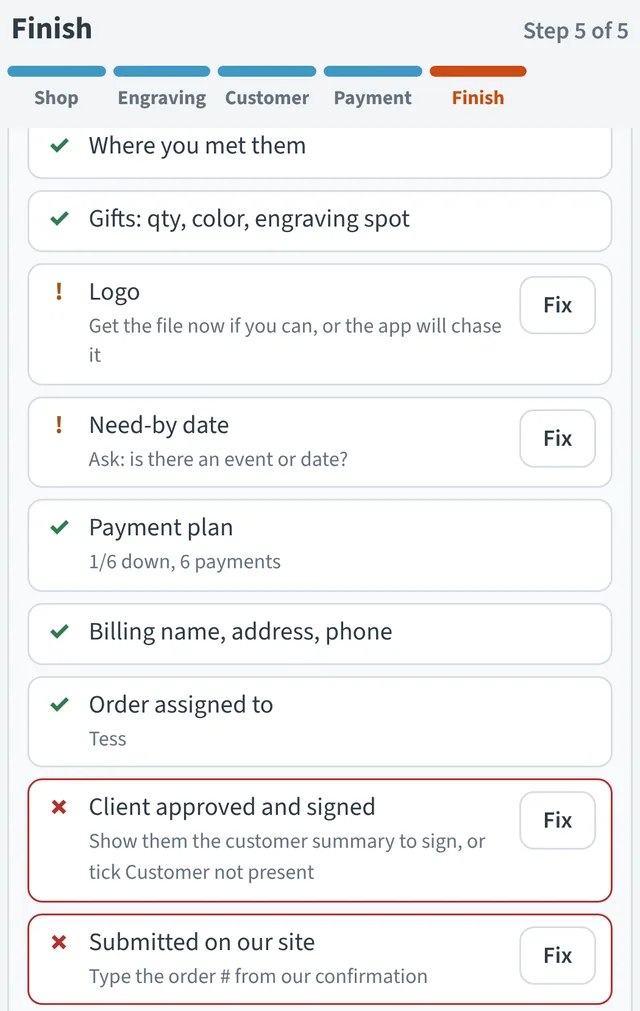

Tapped it twice? Steps already done get skipped, so nothing is sent twice.
Acme's logo came off their website footer, and it's tiny.
Blurry in, clean out. Logo redraw splits it into words and shapes, retypes the words in the closest font and straightens the edges. Check the old and new side by side at real size, then save the engraving file and the PDF. If a picture is too small to work from, it tells you before it costs you a redo.

 BeforeAfter

It's Monday and five fall shows are on the calendar. Drag a show's bar on the timeline to move its dates. Workload shows Carla already has nine tasks that week, so booth setup goes to Owen. Need it in a spreadsheet? Download the table. Already use a task app? BullUp syncs with it both ways, set up with you.
Call venue Friday !high → Call venue · due Fri · HighType "7 days before a show, remind the staff." BullUp says it back in plain words and lists the shows it would touch. Nothing runs until you turn it on, and Pause all stops every rule with one tap. Reminders show up in the app and as phone alerts.
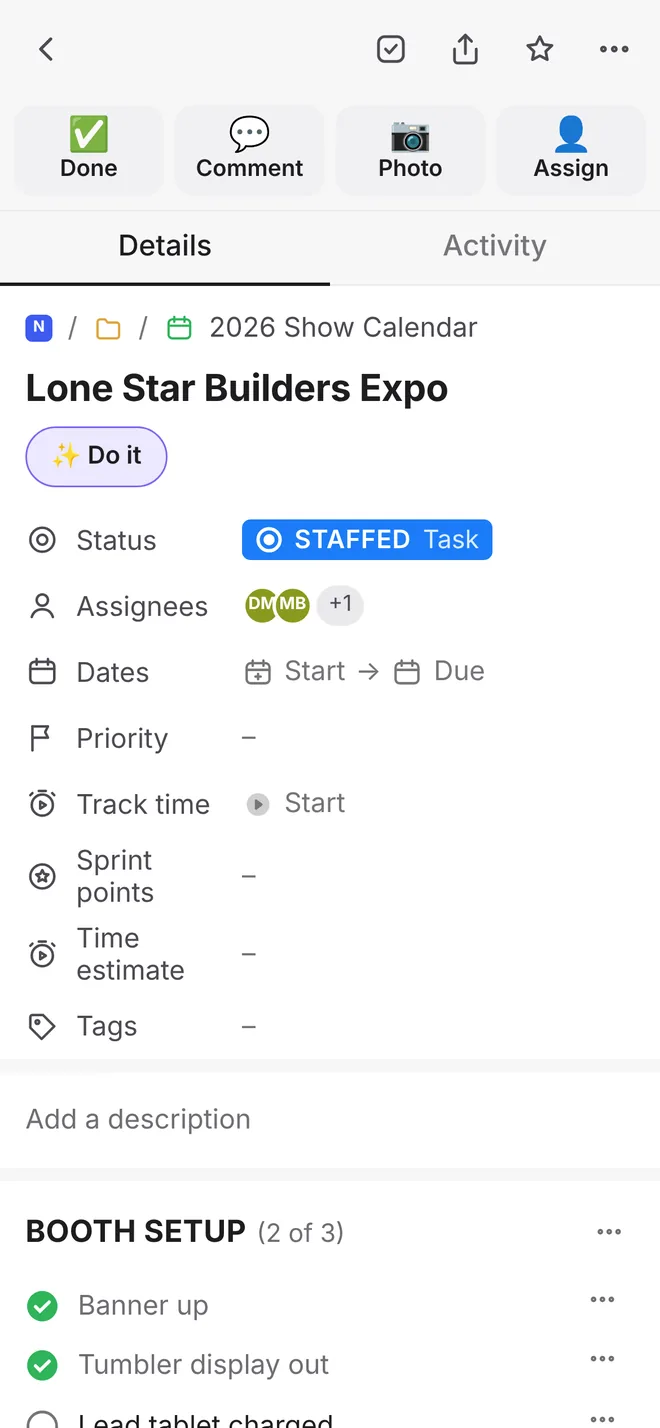
Open "Kestrel Realtors Summit: booth and badges" and tap Do it. Bullwick reads the task and lays out up to five cards. Approve, edit or skip each one. Emails land in your drafts folder and are never sent for you. Driving home? Tap Talk it out, say everything on your mind, and pick which tasks to make.
Every show sits on one board: spots needed, spots filled, cost per rep and who's free. Book a rep on two shows with the same dates and the board warns you right away. Tap Ask reps to work it and BullUp suggests free reps who've worked that area, with the email already written.
| Show | Need | Staffed | Open | Per rep |
|---|---|---|---|---|
| Harbor Point Home Show | 4 | 3 | 1 | $420 |
| Larkspur Bridal Fair | 2 | 2 | 0 | $280 |
| Kestrel Realtors Summit | 3 | 1 | 2 | $310 |
Luis Ortega is on Harbor Point Home Show and Kingfisher Boat & RV Show, Nov 13 to 15.
Channels, direct messages, and one chat for each upcoming show with the reps working it. Move someone on the staffing board and the show chat's members change too. If the booth or the dates change, the chat posts a short note, so nobody shows up at the old booth. Flag a question as Needs an answer, and it gets a nudge every day until someone replies.
A rep's login opens to three tabs: My shows, All shows and Chat. My shows has their dates, their Show Day pages and any numbers they still owe. All shows is the full calendar to browse. Only managers can change it.
Meet Bullwick
Bullwick is the shiny 3D bull in the cape who lives inside Bullpen. He answers from your price list, your playbook and each customer's history, so you get your answer, not a guess. Ask him in the app, or in your team's Slack once it's set up with you.
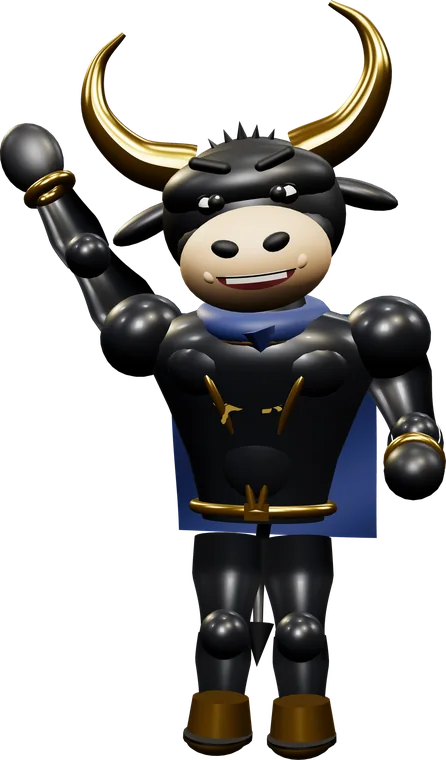

Hey, I'm Bullwick! Try me. You're Tess, a rep at a made-up gift company with real-looking customers and prices. Ask me anything, or tap one below.
Demo only: nothing is sent or saved. In Bullpen he works from your real customers and prices, and anything he sends waits for your OK.
He does the busywork. You tap OK.
Plus the jobs you saw above: quotes, samples, mock-ups and Do it. Every email, quote and CRM change he lines up shows up as a card first. Approve it, edit it or skip it.
Why not just ChatGPT?
ChatGPT and Claude write a good email. They don't know your customers, your prices or who's due a call today, and they can't follow up for you. Bullpen puts the AI inside your sales day, with your data and your rules already in it.
For open ended writing, brainstorming and research, AI on its own is great. Use both.
Know how the day is going before anyone tells you. Team today shows calls, people reached, texts, emails, meetings booked and leads handed off, for each rep, on one screen. Who's on now shows who's working, and at which show.
| 📞Calls | 🗣Reached | 💬Texts | ✉️Emails | 📅Booked | 🔥Handed | |
|---|---|---|---|---|---|---|
| Tess | 14 | 6 | 8 | 4 | 2 | 1 |
| Owen | 22 | 9 | 11 | 3 | 3 | 2 |
| Luis | 17 | 5 | 6 | 6 | 1 | 0 |
| Nia | 9 | 4 | 12 | 2 | 1 | 1 |
The whole team fills the same weekly bar. You win together, with no cutthroat ranking.
Works with your tools
Bullpen works with your CRM, email, calendar, files, task app and team chat. It doesn't replace them. Here's where each tap lands.
Built for the show floor
Every tool
Most sales teams pay for a pile of small apps that don't talk to each other. Bullpen does those jobs in one place.
| Card scanner apps and rented show scanners | Reads the card, badge or lead sheet while you keep talking. |
| Call lists and dialer tools | Tells you who to call next, with one big Call button. |
| Voice note and note-taker apps | Turns a ten-second ramble into a clean note with the next step. |
| AI writing and email helpers | Drafts every follow-up in your voice. |
| Quote and proposal software | Builds a priced quote on your phone, price breaks included. |
| Signature apps | Gets their signed OK on your screen before you leave. |
| Scheduling-link apps | Books the meeting at the booth, on your calendar and in your CRM. |
| Paying someone to redraw a logo | Turns a blurry logo into a clean engraving file. |
| Spreadsheets of show results | Keeps leads, appointments and sales for every show and rep. |
| Workflow add-ons | Turns a sentence into a rule, and one tap into ten order steps. |
It works with your CRM, email and task app. It does the typing for them.
Keep your CRM. Drop the side apps.
Bullpen works on top of your CRM, email and task app. These are the extra apps reps usually buy to do the rest. Here's the cheapest published paid plan we found for each job.
Plus your CRM either way. Bullpen works with it; it doesn't replace it.
Book a demoList prices from each company's own pricing page, checked October 18, 2026. US dollars, before tax, add-ons and promotions. Switch between month-to-month and yearly billing; where a company lists no yearly price we use its monthly price. Prices change. Per-job costs are turned into a monthly amount: logos a month times the art fee, and shows a year times the scanner licence, divided by 12. We picked the lowest published paid plan that does each job, counted per-account plans once, and used the cheaper dialer for each team size. Some of these apps do more than the one job listed, and some offer free plans with limits. Product names belong to their owners; no endorsement implied. Bullpen prices are per company, before tax and before any AI add-on.
Your time counts too
These are the jobs Bullpen does for you: the card types itself in, follow-ups come drafted, a quote comes from one sentence, one tap does the order paperwork, a show staffing ask goes to every rep at once, and Bullwick answers the team's questions so your office doesn't have to. You still check it and tap send. The numbers below are examples; change them to yours.
For 1 rep (set with the reps slider above), that's
That's $520 a month of typing and paperwork Bullpen can take off your plate.
Book a demoPricing
$0/mo
1 login$274.67/yr
one month free, or $24.97 a month
1 login$1,067/yr
one month free, or $97 a month
1 loginEvery tool
$2,167/yr
one month free, or $197 a month
3 loginsFounder price: the first 10 companies get Premium for $97 a month, locked in for a year (AI add-on not included). Bigger team? Let's talk.
 Need more AI? Add it to any paid plan for +$19, +$39 or +$79 a month, or use your own AI key. You set a monthly limit, and Bullpen warns you at 80%.
Coming soon: Bullwick in your Slack. Your own Bullwick answers your team's questions in Slack, from your Bullpen. Add it to Sales or Premium for $59 a month ($649 a year), about 3,000 asks a month included.
Questions
“I had so many leads I needed one tool to follow up and pull everything together, with easy filters I could use on my phone while I was on the go. So I built it.”
Any team with sales reps who meet people and follow up: at trade shows, on the phone, from referrals and walk-ins. If you collect leads, write quotes and chase follow-ups, it was built for you.
Yes. Take one photo of each filled-in lead sheet. AI reads the handwriting, notes and all, and the lead lands on the same list as a snapped card, with the same next step.
Yes. Type in call-ins, referrals and walk-ins. They get the same Who's next, follow-ups and quotes as any card you snap.
No. Bullpen works with your CRM. Leads, call outcomes and notes are written back to it, so your CRM stays the record. Today that's GoHighLevel. Tell us which one you use on the demo.
Book a demo. If it's a fit, we set Bullpen up with you: your logins, your prices and your connections. We test each one with you before your first big day.
No. Open Bullpen on your phone and add it to your home screen. It gets its own icon and opens full screen, like any app. It works on a laptop too.
Keep working. Your work saves on the phone and sends when signal comes back.
No. Big buttons, plain words, and a Simple mode with fewer buttons for new people. And Bullwick can take them to any screen they can't find.
On the demo, we'll read your card or your lead sheet, and you'll watch it become a lead, ranked and ready for a follow-up.
Onward and upward.